Best AI Tools for Roblox Development in 2026
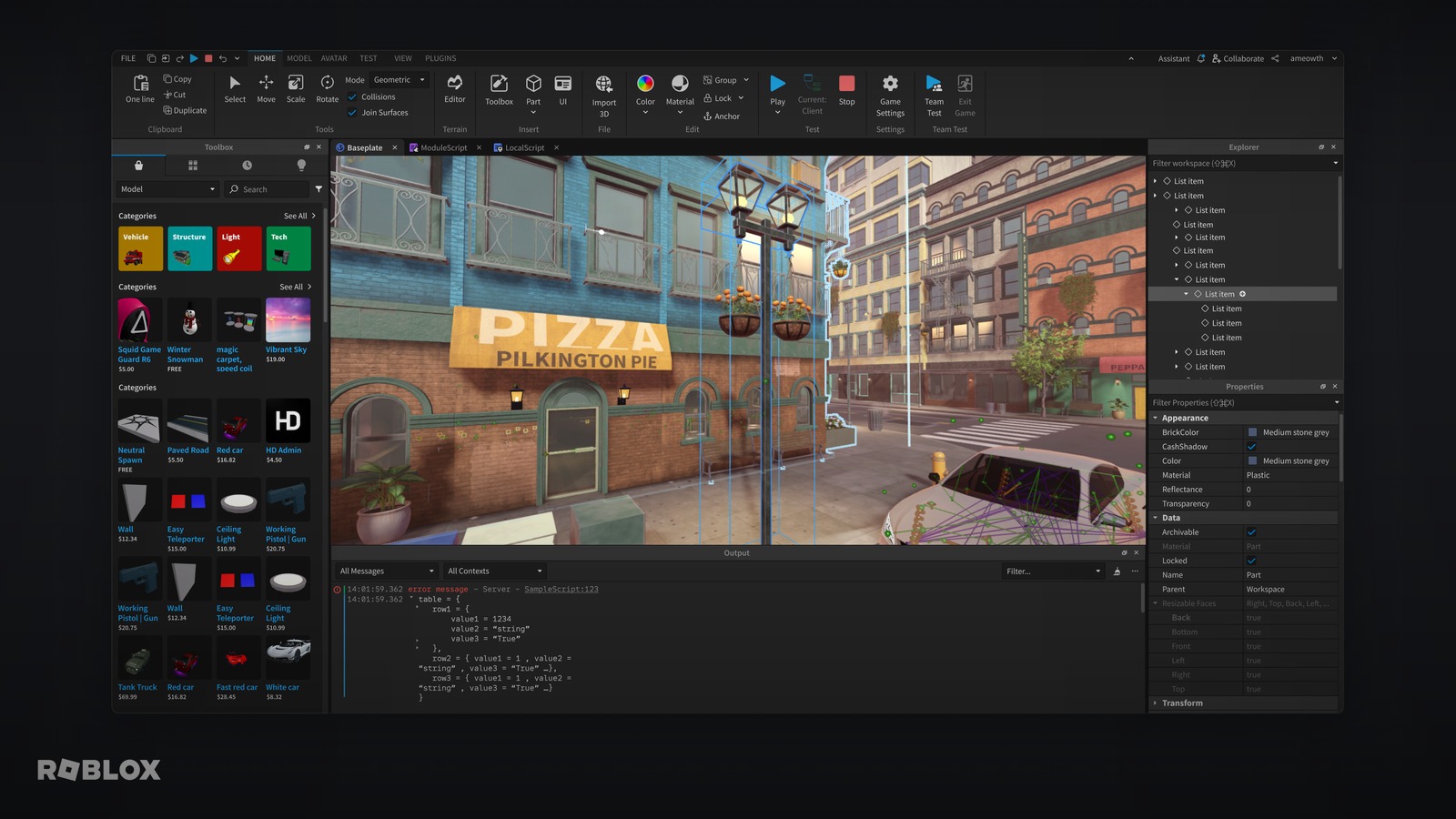
Roblox development has its own AI ecosystem, separate from general game dev. The work splits into three jobs: writing and fixing Luau, generating art and UI, and testing what you built. No single tool nails all three equally, so most serious creators stack two or three. Here's an honest comparison — including the tools we compete with directly. For a brand-by-brand breakdown, see our Lemonade vs SuperbulletAI vs Ropilot comparison.
Use Ropilot when you want Roblox Studio changes written, applied, and playtested for you. Use Roblox Assistant when you want low-setup official help, but do not expect the strongest output quality. Use Cursor + Rojo when you already work like a software engineer. Use ForgeGUI or Ludo.ai when the bottleneck is visuals, not Luau.
What Roblox AI tools need to handle
Roblox is not just "write some Lua." A useful AI tool has to understand where code belongs and which side of the client/server boundary owns the truth. The best tools help with:
- Service placement: scripts in
ServerScriptService, shared modules inReplicatedStorage, UI underStarterGui, and local behavior in the right client context. - Luau patterns: RemoteEvents, ModuleScripts, attributes, CollectionService tags, DataStores, signals, and typed Luau when it improves maintainability.
- Security: server-side validation for currency, rewards, purchases, inventory, cooldowns, and progression.
- Iteration: the ability to fix the thing that broke after the first generated version.
- Playtesting: running the flow in Studio instead of assuming generated code works because it looks plausible.
| Need | Best fit | Why |
|---|---|---|
| Build and test a Roblox feature quickly | Ropilot | Reads the game, writes Luau, applies changes in Studio, and runs playtests. |
| Use the official built-in Studio AI | Roblox Assistant | Low setup and official integration, but output quality can be weak compared with dedicated agent stacks. |
| Keep a pro Git/Rojo workflow | Cursor + Rojo | Strong AI code editor with version-control-friendly Roblox development. |
| Try a free plugin with your own API key | RoPilot Coding Agent | Open-source option for creators comfortable managing keys and setup. |
| Compare one-prompt Roblox game creators | SuperbulletAI, Lemonade, Rebirth, PromptBlox | Useful search set when you are evaluating AI agents for Roblox games, no-code Roblox builders, and browser-based Studio alternatives. |
| Generate thumbnails, icons, or GUI | ForgeGUI | Purpose-built for Roblox-style visuals rather than code. |
| Explore ideas and asset directions | Ludo.ai | Useful for pre-production, sprites, icons, UI, textures, and market/design research. |
AI coding agents for Roblox Studio
Ropilot ★ Best for end-to-end automation
A desktop app plus a Studio plugin. You describe a feature; Ropilot reads your game tree, writes production-ready Luau, runs the playtest, and ships the fix — all inside Studio. Runs on Ropilot Credits, or bring your own Claude or ChatGPT plan (and connect Claude, Codex, Cursor, or Antigravity over MCP).
RoPilot Coding Agent Best free, open-source option
A free, open-source Studio plugin (by the developer ClassifiedCoach) that writes and implements code from natural-language prompts using your own AI API key. Note: despite the similar name, it's a separate project from Ropilot.
Cursor + Rojo Best pro/external workflow
Write Luau in Cursor (an AI code editor) and sync it into Studio with Rojo. Favored by engineers who want full control and version control.
Roblox Assistant (Code Assist) Best built-in starting point
Roblox's official in-Studio AI assistant. It can answer questions, generate content, perform actions directly in Studio, and now includes more planning-oriented workflows for complex tasks.
ChatGPT / Claude (direct) Best for quick one-off questions
Pasting code into a chatbot still works for isolated questions and explanations.
AI for Roblox art, GUI & thumbnails
ForgeGUI ★ Best for visuals
An AI design platform built for Roblox (and UEFN/Minecraft): game icons, thumbnails, GUI sets, and GFX. It pairs naturally with a coding tool — art on one side, code on the other.
Ludo.ai Best for Roblox asset direction & ideation
A broader AI game asset and design platform that can help with sprites, icons, UI, textures, audio, 3D, video, and idea exploration before you commit to a Roblox build direction.
Example prompts that produce better Roblox code
Whether you use Ropilot, Roblox Assistant, Cursor, or a chatbot, the prompt matters. Good Roblox prompts name the service, the ownership boundary, and the failure cases. For example:
- Shop: "Create a shop GUI in
StarterGuiwith three items. Purchases must be validated on the server, reject if the player cannot afford the item, and save owned items to DataStore." - Round system: "Add an intermission and round loop in
ServerScriptService. Teleport players into the arena, end the round when one player remains or the timer expires, then return everyone to lobby spawn." - Bug fix: "Players sometimes keep the speed boost after dying. Find where the boost is applied, reset it on character respawn, and test that the speed returns to default."
- UI polish: "Refactor the inventory UI so it scales on mobile, does not overlap the cash counter, and updates when the server confirms an item was added."
Review checklist before you ship AI-generated Luau
AI can save hours, but Roblox games are multiplayer and exploit-prone. Before accepting generated code, check the boring parts:
- Currency, purchases, rewards, cooldowns, and inventory changes happen on the server.
- RemoteEvents validate player state and do not trust client-provided prices, item IDs, or reward amounts.
- DataStore reads and writes handle missing data, failures, retries, and player leave events.
- UI scripts do not block gameplay when a frame, button, or RemoteEvent is missing.
- The feature has been playtested through the real path a player will take.
Which should you use?
A practical stack for most Roblox creators in 2026:
- Code & playtesting: Ropilot — a Roblox AI builder and AI Roblox script generator — if you want changes written, tested, and applied in Studio automatically; the open-source RoPilot Coding Agent if you'd rather run your own API key for free; or Cursor + Rojo if you're an engineer who wants full control.
- Art & UI: ForgeGUI for thumbnails, icons, and GUI.
- Quick help: Roblox Assistant or a chatbot for one-off snippets.
The biggest 2026 shift is from autocomplete to agents that finish tasks — reading your game, making the change, and verifying it with a playtest. That's where the time savings actually come from. New to this? Start with our step-by-step guide to building a Roblox game with AI.

See it in your own game
Connect Ropilot to Studio, describe a feature, and watch it get written and playtested for you.
Get started free